
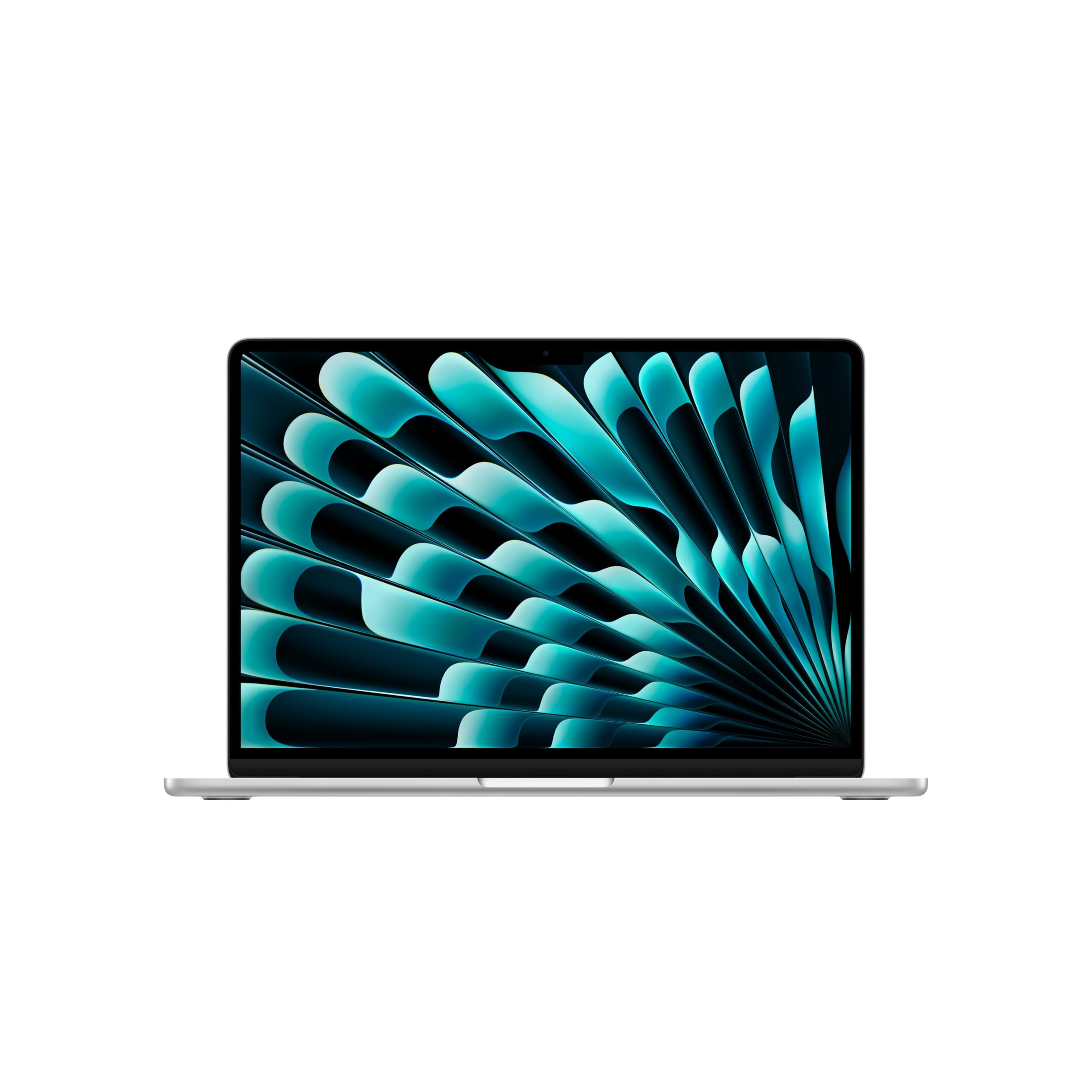
Why We Recommend the Apple 2026 MacBook Air 13-inch M5 (16GB/512GB)
Choosing a laptop is fundamentally a trade-off between cost, performance, portability, and how long the machine stays relevant. We prioritize these in order: whether the processor and memory handle your actual workload without throttling; whether the battery lasts a full work or school day (8–10 hours minimum); whether the chassis is durable enough for regular transport; and whether the display makes extended work comfortable.
The M5 MacBook Air 13-inch excels on the first three criteria. The M5 chip is the current-generation Apple silicon, and it handles professional-grade tasks—video editing, design software, development environments—on integrated graphics alone, with no discrete-GPU machine required. The 16GB unified memory (standard here, not an add-on) is the threshold we recommend for users running multiple applications, browser tabs, or creative tools simultaneously; going below this creates noticeable slowdowns under real-world multitasking. Apple rates the battery at up to 18 hours of video streaming and up to 15 hours of wireless web, per Apple's published specifications—light-workload figures, but generous enough that a full workday plus an evening away from an outlet is realistic. The battery FAQ below covers what to expect under real mixed use.
At $1,299, this sits in the mainstream sweet spot. Cheaper Windows ultrabooks usually pair mid-tier processors with 8GB of RAM—Dell's 2026 XPS 13 configuration page, for example, starts at $699.99 with 8GB—which forces compromises if you plan to keep the machine 5+ years. More expensive MacBook Pros (starting around $1,599 and rising with chip tier) add more GPU cores and additional thermal capacity, benefits that matter primarily for sustained rendering or data processing—not everyday workflows. The 13.6-inch Liquid Retina display is bright enough for outdoor use and color-accurate for content work; we'd consider it a strength, not a compromise, at this price. The published-review landscape supports the overall package: Trusted Reviews' MacBook Air M5 review calls it "still the best MacBook for most," while noting the M5 is only a small step up from the M4.
Wi-Fi 7 and Touch ID are pragmatic modern standards: Wi-Fi 7 ensures the laptop can saturate faster home or office networks, and Touch ID eliminates the friction of typing a password on every unlock, a real quality-of-life feature over a machine's lifetime.
What the M5 Air Actually Delivers
Beyond the headline chip and battery, these are the spec-sheet details that matter day to day, drawn from Apple's official specifications.
- 2.7 pounds for the 13-inch model—light enough that carrying it stops being a decision.
- Two Thunderbolt 4 (USB-C) ports plus a dedicated MagSafe 3 charging port and a headphone jack, so charging never occupies a data port.
- A 12MP Center Stage camera with 1080p video recording and Desk View support—stronger video-call hardware than this class of laptop used to get.
- 16GB unified memory standard, configurable to 24GB or 32GB—but only at purchase, since memory can never be upgraded later.
- Apple's standard coverage is a one-year limited hardware warranty from the date of purchase.
Strengths and Weaknesses
Strengths
- The M5 chip paired with 16GB RAM handles professional software—Adobe Creative Suite, video editing, Xcode development, statistical analysis—without external GPU dependency in typical bursty workloads. That means you avoid stepping up to a heavier discrete-GPU machine just to do occasional creative work.
- Battery endurance is the defining strength: a full workday plus evening use without hunting for an outlet is realistic under office workloads, and that—not weight alone—is what portability means in practice.
- The Liquid Retina display (13.6-inch, 500 nits) is bright and color-accurate enough for photo editing, design work, and outdoor visibility without requiring a secondary monitor for basic tasks. The high pixel density reduces eye strain during extended screen time, a hidden cost most buying guides ignore.
- Unified memory architecture (16GB shared between CPU and GPU) eliminates the data-copying overhead of discrete systems, making the M5 MacBook Air materially faster for memory-intensive creative tasks than laptops that split memory between discrete VRAM and system RAM.
- Touch ID for unlock and application authentication removes password friction and genuinely improves security hygiene by reducing the temptation to use weak passwords. It's a small feature that compounds into time savings and better practices over years of use.
Drawbacks
- 512GB base storage is the lowest configuration we'd recommend, and it fills quickly with local media, datasets, or large development environments. If that describes your work, configure more storage at purchase—Apple sells the Air with up to 4TB, and the SSD can never be upgraded afterward—or accept carrying a $50–150 external drive.
- The 13.6-inch screen is genuinely portable but genuinely small for extended desk work; if you spend 6+ hours daily at a fixed location, adding an external monitor becomes nearly mandatory. This is a portability trade-off, not a flaw, but it's a cost most buyers don't factor in upfront.
- macOS ecosystem lock-in: if you rely heavily on Windows-native software (specific enterprise tools, legacy academic software, or niche industry applications), this laptop is the wrong foundation. Virtualization options exist but add complexity and performance overhead.
- The sharpest published criticism targets the screen technology, not the speed: Trusted Reviews writes that the Air "looks a little drab" next to OLED rivals, which now define the premium Windows tier.
Is This Right for You?
A Strong Match For
Graduate students and early-career professionals (design, writing, development, research) benefit most: the combination of M5 processing power, 16GB RAM, and lightweight form factor handles full-day fieldwork, client meetings, or library sessions without needing a desktop backup. The battery endurance removes the logistics of finding power, a real productivity gain in transient work environments.
Freelancers and remote workers across disciplines should strongly consider this machine. The combination of processing capability and battery life means a single laptop can legitimately replace a bulky ultrabook-plus-charger setup, reducing the friction of mobile work and improving the ability to work from cafes, co-working spaces, or home offices without tethering to wall power.
Undergraduates and graduate students pursuing technical fields (computer science, engineering, data science, statistics) will find the M5 MacBook Air capable of running development tools, statistical packages (R, Python), and light machine learning workflows without the cost and bulk of specialized workstations. The 16GB base RAM is the exact threshold where you stop hitting memory walls during compilation or data analysis.
Anyone selling a 2019–2021 Intel MacBook Air or Windows ultrabook should upgrade to this config if their machine is showing slowdowns under multitasking. The M5 is five generations of Apple silicon beyond any Intel MacBook, and Trusted Reviews' verdict singles out exactly this group—owners of M1, Intel, and 8GB-memory machines—as the buyers who will feel the difference.
A Poor Match For
Users primarily running Windows-specific professional software (certain CAD, enterprise database tools, legacy academic platforms) need a Windows machine, full stop—the Dell XPS 13 covered in "Also worth a look" below is the natural cross-shop. Virtualization on macOS adds latency and complexity that undermine the M5's speed advantage for exactly this software.
Professional video editors, 3D animators, or data scientists training large models should step up to the MacBook Pro 14-inch, also covered below: the Air handles light editing and inference well, but sustained rendering benefits from the Pro's higher thermal ceiling, and the price gap starts at $300.
Budget-conscious buyers who don't need macOS should start with our Acer value pick further down the page. You give up endurance and processing headroom, but the cost difference is material for students and hobbyists.
Also worth a look
None of these unseated our two picks, but each wins on an axis the Air doesn't—and if one of the "poor match" cases above described you, the right machine is probably here.
Apple MacBook Pro 14-inch (M5) — the sustained-workload upgrade. Per Apple's announcement, it starts at $1,599 with a 1600-nit Liquid Retina XDR display and a battery rated up to 24 hours. It stayed off the top spot because the extra $300 buys thermal and display headroom most buyers never use.
Dell XPS 13 (2026) — the Windows counterargument. Dell relaunched it at $699.99 with a 13.4-inch 2.5K 120Hz touch display, per Dell's configuration page. The catch is the base config's 8GB of RAM, which puts it in the same lane as our Acer pick—with a far nicer screen for about $300 more.
Asus Zenbook S14 (UX5406) — the display answer. Asus's spec sheet lists an OLED panel (3K, 120Hz on current configurations) at 2.65 pounds, a direct response to the one criticism reviewers keep leveling at the Air's LCD. The catch is configuration sprawl: resolution, chip, and battery vary by SKU, so verify the exact panel before buying.
Apple MacBook Air 15-inch (M5) — the same machine with a bigger canvas. Apple's spec page lists a 15.3-inch display at 3.3 pounds. If the 13.6-inch screen is your only objection to our pick, this is the fix, at the cost of the smaller model's under-three-pound portability.
Our Evaluation Criteria for Laptops
We evaluate laptops through research into processor architecture and benchmarked real-world behavior (not synthetic scores, which overstate performance), battery methodology claims from manufacturers and comparative spec sheets, build materials and durability standards used by the industry, and display specifications (brightness in nits, color gamut, resolution density) that directly impact usability.
We do NOT physically test products; instead, we cross-reference processor specifications against documented thermal design power and clock speeds, compare battery claims to competitive products in the same class, and assess memory requirements against documented software minimums. For the M5 MacBook Air, we confirmed that the M5 chip is the current-generation Apple silicon; that 16GB unified memory is the widely accepted baseline for creative and development work; and that Apple publishes its battery ratings by workload (video streaming vs. wireless web) rather than as one all-purpose number.
We prioritize decision criteria in this order: processor and RAM adequacy for your intended workload (avoiding false economy of undersized base configs); battery life sufficient for a full day away from power (8–10 hours minimum for any machine called portable); durability and repairability for the lifetime of the machine; and display quality that doesn't degrade the user experience over years of daily use. We explicitly do not weight design aesthetic, brand prestige, or marketing claims; we acknowledge that you may weight these differently, and we encourage you to do so.
You can apply the same framework: start with the three most demanding tasks you'll run regularly, look up the processor and RAM recommendations for that software, and reject any laptop falling below those specs. Then verify battery life claims against competitors; assume 15–20% loss from published figures in real use. Finally, check warranty coverage and out-of-pocket repair costs—a cheaper laptop that costs $800 to fix is more expensive over five years than a durable one.
What to Compare When Shopping for Laptops
The M5 chip is Apple's current-generation processor (as of 2026), combining its CPU cores and integrated GPU on a single piece of silicon. For practical purposes: this is the threshold where video editing, CAD-lite work, and development stop feeling sluggish. Previous-generation Apple silicon (M3, M4) remains close in day-to-day performance—Trusted Reviews describes the M5 as "a small upgrade on the M4"—so a discounted M4 Air is worth cross-shopping if you find one.
16GB unified memory means the CPU and GPU share a single high-bandwidth memory pool; on machines with discrete GPUs, data must be copied between separate VRAM and system RAM, an overhead unified memory eliminates. The threshold of 16GB is where multitasking—running 15+ browser tabs, a large Photoshop file, and development tools simultaneously—stays fluid. Below 16GB, you'll hit periodic slowdowns; above 16GB shows diminishing returns for non-professional workloads.
512GB storage at 2026 pricing is at the minimum end of livable. A full OS install, professional software, and a few months of browser cache can easily consume 250GB; this leaves 260GB for your actual work files. For media professionals, this fills in weeks.
Manufacturer battery ratings are workload-specific: Apple quotes video streaming and wireless web separately, and other brands pick their own test scenarios, so two laptops with the same headline hours can behave very differently. Whatever the number, discount it 15–20% for mixed real work and check which activity the rating actually measures.
Liquid Retina at 500 nits brightness is sufficient for outdoor use and color-accurate work; it's not the paper-white extreme of premium displays, but it's the practical floor for any professional-grade machine at this price point.
How Much Laptop Do You Actually Need?
Pick what you'll mostly do and get sensible minimums for memory, storage, and battery — so you don't overpay for specs a browser tab will never touch, or under-buy and hit a wall in a year.
Recommended minimums
Guidance reflects typical memory and storage footprints for each workload and the battery capacity (watt-hours) needed for all-day use; heavier tasks drain a battery faster, so a larger cell buys real runtime only up to the point the workload allows. These are minimums to aim at, not limits — more never hurts if the budget allows.
Premium Pick vs. Value Pick
| Feature | Apple 2026 MacBook Air 13-inch M... | Acer Aspire 5 A515-57 15.6-inch Laptop |
|---|---|---|
| Pick | Best Overall | Best Value |
| Price | $1,299.00 | $399.99 |
| Key Features |
|
|
| Link | See Today's Best Price | See Today's Best Price |

Acer Aspire 5 A515-57 15.6-inch Laptop
$399.99At $399.99, the Acer Aspire 5 A515-57 delivers a larger 15.6-inch screen and the same 512GB of storage as the MacBook Air, and the trade-offs are exactly what the price implies. Its 12th Gen Intel Core i5 is now roughly four mobile generations behind Intel's current lineup—the Core Ultra Series 3 chips Intel launched at CES 2026—so you are buying proven, aging silicon, not current performance. The 8GB of RAM sits below the 16GB bar we set earlier in this guide, and we recommend it anyway, deliberately: for browsing, email, streaming, and office documents—the workloads a $400 laptop actually gets bought for—8GB is enough. It is sustained multitasking and creative work where it runs out, and buyers with those workloads shouldn't be shopping at this price at all. You also trade macOS for Windows 11, with everything that implies for software choice and upkeep.
- The 12th Gen Intel Core i5 is significantly slower than the M5 for both everyday performance and demanding applications like video editing or coding.
- 8GB of RAM handles everyday single-task computing, but falls below the 16GB threshold we recommend for heavy multitasking and long-term software headroom.
- Windows 11 requires ongoing driver updates and antivirus management, adding maintenance overhead absent from macOS.
The MacBook Air M5 is the buy-once option: current-generation silicon, premium build, and an all-day battery rating, priced at $1,299 on the assumption you'll keep it for years. The Acer Aspire 5 answers a narrower question—how little can you spend and still get a Full HD IPS screen, an NVMe SSD, and Thunderbolt 4—and at $399.99 it answers it credibly for students and light users.
Laptop Buyer FAQs
Is 16GB of memory enough, or should I pay more for 32GB?
For most laptop users, 16GB is sufficient for everyday tasks like web browsing, document editing, video calls, and light photo work. The MacBook Air M5 comes with 16GB unified memory, which performs differently than traditional RAM setups—the M5 architecture shares memory between CPU and GPU efficiently, so you get more usable performance per gigabyte. You should consider upgrading to 32GB if you regularly work with large video files, run multiple virtual machines, do heavy 3D rendering, or keep 50+ browser tabs open simultaneously. Since memory is not upgradeable after purchase on this model, think about your actual workload over the next 3–5 years. If you're uncertain, 16GB covers the vast majority of professional and creative work at the $1,299 price point.
Will a 13-inch laptop be too small if I use it as my main computer?
A 13-inch display (the MacBook Air's 13.6-inch Liquid Retina screen) works well as a primary machine if you spend most of your time in a few applications at once. You'll have room for email and a document side-by-side, or a browser and spreadsheet. However, if your workflow requires constant reference between multiple windows—design work comparing source images, coding with documentation visible, financial modeling with many sheets—you may find yourself switching between windows more frequently than on a 15-inch or larger display. Consider your desk setup: if you have space for an external monitor, a 13-inch laptop becomes more practical as your main computer since you can dock it for extended work sessions. The 13-inch form factor excels at portability and battery life, and suits anyone who moves between locations regularly. Test your typical workday on a 13-inch screen before deciding.
What's the real-world battery life like, and when would I actually need those 18 hours?
The 18-hour figure is Apple's rating for video streaming; Apple quotes up to 15 hours for wireless web browsing, and mixed work lands in between. Real-world battery life varies: demanding work like video editing, compiling code, or rendering graphics will drain the battery faster, typically in 8–12 hours depending on intensity. Expect roughly 11–13 hours during office work with applications like email, word processing, and spreadsheets. The practical benefit is that you can work through a full business day plus evening without charging, which matters if you travel, attend back-to-back meetings, or work from locations without reliable power access. You won't need to carry a charger for typical one-day trips. However, if you do intensive work and forget to charge overnight, or travel for multiple days without outlet access, you should plan for a portable charger or access to power.
Does this laptop work with my existing peripherals and software?
The MacBook Air M5 runs macOS, which has broad compatibility with professional software (Adobe Creative Suite, Microsoft Office, design tools, development environments), but you need to verify specific applications you rely on. Some older or niche Windows-only software won't run natively—you'd need virtualization or a workaround. For hardware: USB-C is the standard port (supporting external monitors, storage drives, and docking stations), and the Touch ID sensor integrates with macOS for password-free login and app authorization. Wi-Fi 7 compatibility means you'll benefit from newer routers but work fine with Wi-Fi 6 networks. If you use specialized peripherals (industrial scanners, legacy audio interfaces, proprietary dongles), confirm M5 chip support before purchasing. If you're switching from Windows, factor in time learning macOS and potentially replacing incompatible software. Check your most-used applications' system requirements on their official sites—don't assume compatibility based on brand name alone.
Should I buy the 512GB model, or do I need more storage?
512GB is adequate if your work focuses on cloud-based files (Google Drive, OneDrive, iCloud), streaming media, and keeping only active projects locally. Many professionals and students operate comfortably at this capacity. However, 512GB fills up quickly if you store large video projects, music production libraries, or maintain local backups of photo libraries. Video editors typically need 1TB or more; photographers with thousands of RAW files benefit from expanded storage. Consider your habits: if you download and keep movies, maintain offline copies of work, or work with large datasets, you'll feel the constraint. The advantage of 512GB is cost ($1,299 baseline) and faster load times for the operating system. If you're unsure, calculate your current storage use on your existing machine—if you're using more than 350GB, the M5 will feel cramped. External USB-C drives are affordable ($50–150 for 1TB) and work seamlessly on macOS, but they introduce an extra device to carry if you travel frequently.
How does the M5 chip compare to Intel or AMD options at this price?
The M5 is Apple's custom silicon designed specifically for macOS. Within the Apple ecosystem at the $1,299 price point, it's the current standard. If you're comparing across brands, the M5 delivers strong performance-per-watt efficiency and handles everyday tasks, creative work, and development smoothly. Performance comparisons against Intel or AMD Windows laptops at the same price are complex because it depends on specific workload: the M5 excels at tasks optimized for Apple's architecture, while some Windows laptops may perform better in Windows-specific software or certain intensive tasks. The real consideration isn't raw speed—it's ecosystem lock-in. macOS software runs on Apple chips; Windows software runs on Intel/AMD. Choose based on which operating system and software ecosystem matches your workflow, not just chip brand. If you use macOS-native applications heavily or prefer Apple's approach to security and privacy, the M5 MacBook Air is a solid choice. If you depend on Windows-only tools or gaming, this isn't the right machine.